ReddRadar
What is Logggai?
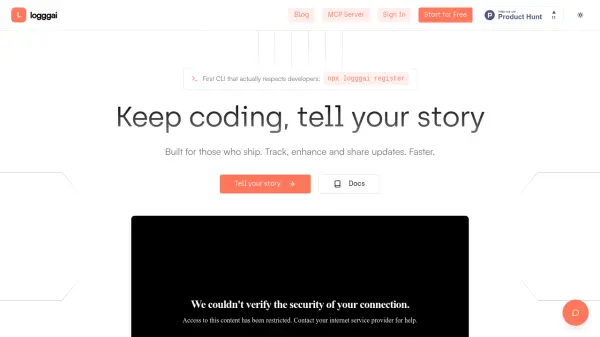
Logggai is a developer-focused AI tool designed to streamline content creation by automating changelogs and enhancing updates with artificial intelligence. The platform features a CLI interface that monitors local project folders, tracks commits, and automatically syncs changelogs without manual intervention. It uses specialized AI prompts to instantly enhance developer updates, allowing users to edit, approve, and publish content while maintaining their unique voice.
The tool provides real-time tracking of content performance, team activity, and growth through actionable dashboards and insights. It supports seamless context switching between personal and team workspaces, making it suitable for both individual developers and engineering teams. Logggai integrates with various platforms including LinkedIn, Notion, Jira, and Linear, with plans to expand to Discord, GitHub, and Confluence.
Features
- Auto-Sync Changelogs: Automatically tracks commits and syncs changelogs from local project folders without manual steps
- AI Enhancement: Instantly enhances developer updates with specialized AI prompts while maintaining user voice
- Real-Time Tracking: Provides actionable dashboards, heatmaps, and insights to track content performance and growth
- CLI Context Switching: Enables seamless switching between personal and team workspaces with simple commands
- Multi-Platform Integration: Supports publishing to LinkedIn, Notion, Jira, Linear and more platforms
Use Cases
- Automating changelog creation for software projects
- Building developer brand through consistent content sharing
- Creating technical documentation from code commits
- Generating content for developer newsletters
- Sharing project updates with teams and clients
- Transforming debugging sessions into educational content
FAQs
-
How do I get started with Logggai?
Run 'npx logggai register' from your terminal to create an account, then use 'npx logggai post' to start creating AI-enhanced articles. -
What happens to my data when using Logggai?
Your content remains private until you choose to publish it. CLI tokens are stored locally in ~/.logggai-config.json, and the daemon runs in your project folder without sending data unless you publish. -
Which platforms can I publish to with Logggai?
Currently supports LinkedIn, Notion, Jira, and Linear, with Discord, GitHub, and Confluence coming soon. You can request additional integrations via the roadmap. -
What are the limitations of the free plan?
The free plan includes unlimited posts, 30 AI enhancements, 30 social posts, 100 API calls, and 5 integrations. CLI shows clear error messages with upgrade options when limits are reached. -
How does the team workspace feature work?
Team workspaces provide shared collaboration, unified billing, and CLI context switching. Use 'logggai context switch' command to seamlessly switch between personal and team workspaces.
Related Queries
Helpful for people in the following professions
Logggai Uptime Monitor
Average Uptime
0%
Average Response Time
0 ms