
What is Listenbox?
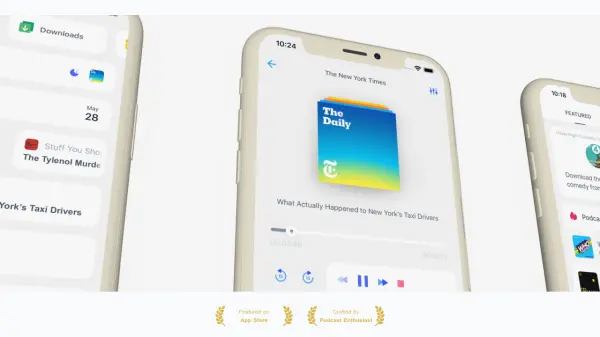
Listenbox transforms YouTube shows and other online content into podcasts that can be played in the background using any podcast app. It enables users to listen to lecture series and other long-form content easily by remembering playback positions and automatically syncing new episodes for offline access.
The platform supports features like sleep timers and silence trimming through podcast apps, which are not available in official YouTube apps. Users can create audio and video podcasts from various sources, including YouTube, Rumble, and Soundcloud, with options to customize podcasts and publish them on iTunes, Spotify, and Google Podcasts.
Features
- Background Playback: Play YouTube content in the background using podcast apps
- Automatic Sync: New episodes are automatically retrieved and ready for offline listening
- Playback Memory: Remembers position for easy listening to long lecture series
- Podcast Creation: Create audio and video podcasts from YouTube, Rumble, Soundcloud, and other sites
- Customization Options: Customize podcast thumbnails, descriptions, and other elements
- Multi-Platform Publishing: Publish podcasts on iTunes, Spotify, Google Podcasts, and other platforms
- Statistics Tracking: Access episode download statistics for published podcasts
- Monetization Support: Monetize podcasts using platforms like Podcorn
Use Cases
- Converting YouTube lecture series into podcasts for educational listening
- Creating podcasts from YouTube shows for background listening during commutes
- Publishing YouTube content as podcasts on major platforms like Spotify and iTunes
- Listening to long-form video content offline with playback position memory
- Monetizing YouTube content through podcast distribution channels
- Using podcast app features like sleep timers with YouTube content
FAQs
-
Can I cancel my subscription anytime?
Yes, you can cancel anytime and will be automatically downgraded to the Free plan. -
How do I change my plan?
Go to your account to change your plan, and the remaining time on your current subscription will be credited toward your future subscription. -
What should I do if I have billing questions?
Contact hello@listenbox.app for assistance with charges or billing questions.
Related Queries
Helpful for people in the following professions
Listenbox Uptime Monitor
Average Uptime
0%
Average Response Time
0 ms