ReddRadar

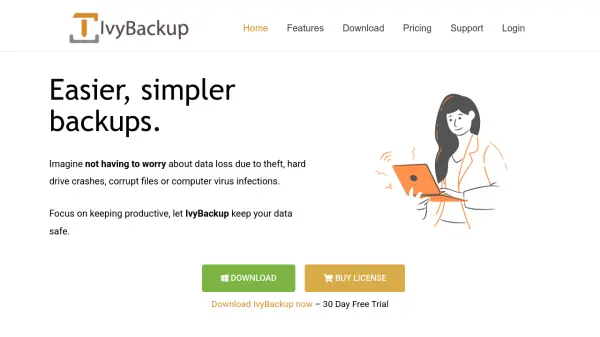
What is IvyBackup?
IvyBackup is a comprehensive backup solution designed specifically for Windows users, offering a straightforward approach to data protection. The tool provides multiple backup types including drive image, full, mirror, differential, and incremental backups, allowing users to choose the method that best suits their needs. It supports various backup modes such as manual, event-based, and scheduled backups, ensuring flexibility in how and when backups are performed.
With support for multiple languages and remote storage destinations like Google Drive, Dropbox, pCloud, and FTP/FTPS/SFTP, IvyBackup offers extensive customization options. Users can compress backups, apply filters based on file type or size, and secure their data with 256-Bit AES encryption. The software also allows for pre- and post-backup actions, making it a versatile tool for both novice and experienced users seeking reliable data protection.
Features
- Backup Types: Multiple options including drive image, full, mirror, differential, and incremental backups
- Backup Modes: Manual, event-based, and scheduled backup operations
- Multiple Destinations: Support for Google Drive, Dropbox, pCloud, and FTP/FTPS/SFTP
- Customization Options: Compression, file filters, encryption, and pre/post-backup actions
- Language Support: User interface available in over 7 languages including English, French, Russian, and Chinese
Use Cases
- Protecting personal files and documents from data loss
- Creating system backups for disaster recovery
- Automating backup processes for business continuity
- Securing sensitive data with encryption during backup
- Managing backups across multiple storage destinations
FAQs
-
What is included in the trial version of IvyBackup?
The trial version contains no limitations and provides full access to all features for 30 days. -
How does the lifetime license work?
A lifetime license provides access to the version purchased including updates, but does not include future versions of the software which would require a new purchase. -
What backup destinations does IvyBackup support?
IvyBackup supports Google Drive, Dropbox, pCloud, and FTP/FTPS/SFTP as remote storage destinations. -
What encryption does IvyBackup use for backups?
IvyBackup uses 256-Bit AES encryption to secure backup files. -
What languages are supported in the user interface?
The interface supports English, Français, Русский, Deutsch, Italiano, Polskie, Türkçe, and 中文(台灣) among others.