What is Illustro?
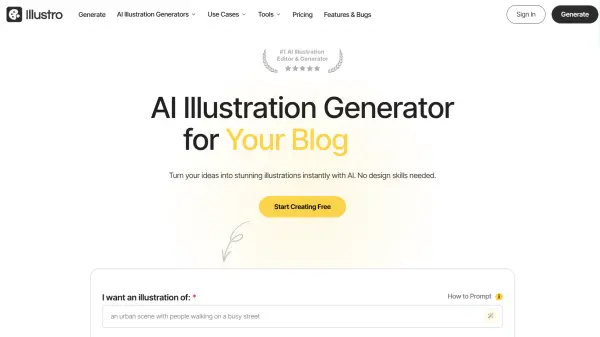
Illustro is a hyper-specialized AI illustration platform built to help creators, marketers, developers, and designers generate professional-grade illustrations from simple text prompts. Unlike generic AI image generators, Illustro focuses exclusively on illustrations, offering a curated selection of popular styles such as Flat Design, Line Art, Children's Illustration, and 3D, making it straightforward to produce visuals that are stylistically consistent and on-brand. The platform supports multiple output sizes and modes, including the high-detail Illustro MAX for professional use and the faster Illustro Light for quick drafts.
Beyond generation, Illustro provides a fully integrated editing experience where users can refine illustrations using AI, adjust colors directly in the editor, and export in PNG, JPG, or SVG formats compatible with tools like Figma and Adobe Illustrator. Every paid plan includes full commercial usage rights, making every generated asset ready for client projects, websites, mobile apps, presentations, e-commerce, and educational content. A free plan offering three credits per day allows users to explore the platform without a credit card, while scalable paid plans accommodate individuals, makers, and high-volume agencies.
Features
- Text-to-Illustration Generation: Type a description and instantly generate a professional illustration without any design skills.
- Multiple Illustration Styles: Choose from popular styles including Flat Design, Line Art, Children's Illustration, and 3D to match your brand or project needs.
- AI-Powered Editing: Refine generated illustrations by adding or removing elements using AI directly within the platform.
- SVG Export: Export illustrations in scalable SVG format for crisp, resolution-independent graphics compatible with Figma and Adobe Illustrator.
- Color Editor: Adjust illustration colors directly within the built-in editor before exporting.
- Two Generation Modes: Select Illustro MAX for premium, high-detail professional output or Illustro Light for fast, good-quality sketches.
- Commercial Usage Rights: All paid plans include full commercial rights with no attribution or royalty requirements.
- Illustration Animation: Animate generated illustrations, available on Pro and Studio plans.
- Daily Free Credits: Free plan provides 3 credits per day with no credit card required.
- Multiple Export Formats: Download illustrations in PNG, JPG, or SVG formats.
Use Cases
- Creating illustrations for website landing pages, blogs, and marketing sites
- Designing app icons, onboarding screens, and feature illustrations for mobile apps
- Generating professional slide graphics for PowerPoint and pitch deck presentations
- Building product page visuals and e-commerce category graphics
- Creating visuals for educational lectures, online courses, and academic presentations
- Producing children's book illustrations with dedicated whimsical styles
- Generating on-brand social media and blog post visuals
- Creating scalable SVG graphics for use in Figma or Adobe Illustrator workflows
- Animating illustrations for digital projects
- Producing commercial-use illustrations without hiring a freelance illustrator
How It Works
Describe Your Illustration
Enter a detailed text prompt describing the illustration you want to create, including the objects, scenes, and mood you have in mind.
Choose a Style and Mode
Select from available illustration styles such as Flat Design, Line Art, or Children's Illustration, and pick a generation mode — Illustro MAX for high detail or Illustro Light for speed.
Generate Your Illustration
Click Generate and the AI processes your prompt and style choice to produce a unique, professional illustration within seconds.
Edit and Refine with AI
Use the built-in AI editor to add or remove elements, adjust colors, and iterate on the illustration until it perfectly matches your vision.
Export and Use
Download your finished illustration in PNG, JPG, or SVG format for use in your design software, website, presentation, or any other project.
FAQs
-
Do credits roll over to the next month?
No. Daily free credits and subscription credits reset on their scheduled cycles and do not roll over. However, any one-time credits purchased separately never expire and remain in your account. -
Can I use Illustro-generated illustrations to train my own AI model?
No. The licence strictly prohibits using Illustro-generated images, in whole or in part, to train, fine-tune, or evaluate any AI system. -
What is the difference between Illustro MAX and Illustro Light?
Illustro MAX delivers premium quality with high detail and is best suited for professional use, while Illustro Light offers faster generation with good quality, making it ideal for quick sketching and drafts. -
Can I get a refund if I am not satisfied?
Subscription payments are generally non-refundable except where required by law. If something went wrong, you can contact the team at info@illustro.app and they will work to resolve the issue. -
Are there team plans or bulk discounts available?
Team billing and volume discounts are not currently available. You can contact the team at info@illustro.app to discuss the best option for your needs.
Related Queries
Helpful for people in the following professions
Illustro Uptime Monitor
Average Uptime
0%
Average Response Time
0 ms