ReddRadar

What is HandOCR?
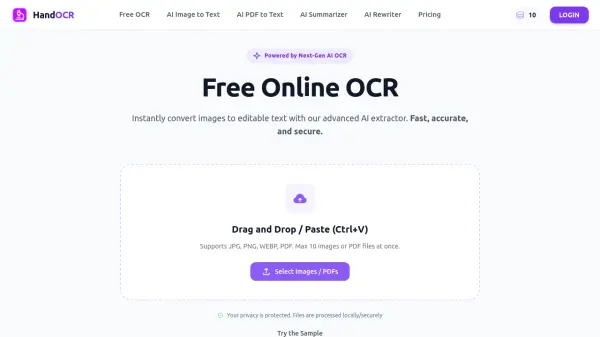
HandOCR is an advanced AI-driven Optical Character Recognition (OCR) platform that enables users to extract editable text from images and PDF files instantly. Supporting formats such as JPG, PNG, WEBP, and PDF, the tool processes files directly in the browser, eliminating the need to install any software. It offers free daily usage up to 10 conversions per day without login and 30 per day for registered users, with additional capacity available through one-time credit purchases. The platform also includes supplementary AI tools such as an AI Summarizer and AI Rewriter to further streamline document workflows.
HandOCR is designed with both security and performance in mind. All uploaded files are processed securely on the server and are automatically deleted after text extraction, ensuring complete data confidentiality. The tool supports batch processing of up to 10 images or PDF files simultaneously, with each file processed in as little as 1 to 3 seconds. Its multi-language recognition capability makes it suitable for international use cases, while its clean, browser-based interface makes it accessible from any desktop or mobile device without technical setup.
Features
- AI OCR Extraction: Accurately extracts text from JPG, PNG, WEBP, and PDF files using next-generation AI OCR technology.
- Batch Processing: Process up to 10 images or PDF files simultaneously for faster and more efficient text extraction.
- Multi-Language Support: Automatically detects and recognizes text in multiple languages without manual configuration.
- No Registration Required: Free daily usage available without creating an account (10 conversions/day; 30/day when logged in).
- AI Summarizer: Condenses extracted or pasted text into concise summaries using AI.
- AI Rewriter: Rewrites text content using AI for improved clarity or rephrasing.
- Secure & Private Processing: Files are processed securely and automatically deleted from the server after extraction.
- Browser-Based Tool: Operates entirely in the browser with no software installation required, compatible with desktop and mobile devices.
- One-Time Credit Purchases: Additional conversions can be unlocked via one-time credit packs with no monthly subscription.
Use Cases
- Extracting text from scanned invoices and receipts for accounting and expense tracking
- Digitizing handwritten notes from whiteboards, notebooks, or study materials
- Converting scanned academic journals or library books into editable, citable text
- Automating data entry from business cards into contact systems or CRMs
- Processing passports, driver's licenses, and standardized forms for KYC and ID verification
- Making PDF documents searchable by converting image layers into selectable text
- Copying text from screenshots for quick editing or sharing
- Batch processing multiple documents for faster administrative workflows
How It Works
Upload Your Image or PDF
Click the 'Upload' button or drag and drop your file into the tool. HandOCR accepts JPG, PNG, WEBP, and PDF formats, and supports up to 10 files at once for batch processing.
Start OCR Conversion
Click the convert button. HandOCR's AI OCR engine scans the document, recognizes characters across multiple languages, and accurately extracts the text content.
Copy or Download the Result
Preview the extracted text in the results panel. You can copy it directly to your clipboard or download it as a text file for further editing or use.
FAQs
-
What is HandOCR?
HandOCR is an AI-powered image-to-text extraction tool that allows users to quickly and accurately extract text from images and PDFs in multiple languages, supporting JPG, JPEG, PNG, and WEBP formats. No signup is required for free daily usage. -
Is HandOCR free to use?
Yes. Daily free usage limits are available: 10 free conversions per day for non-logged-in users, and 30 free conversions per day for logged-in users. Additional conversions can be unlocked by purchasing credits. -
Does HandOCR support handwriting recognition?
Yes, HandOCR's advanced OCR technology is trained to recognize legible handwriting and convert it into digital text, though typed text generally yields the best results. -
How is my data kept private?
All uploaded images and PDFs are processed securely on HandOCR's servers and are automatically deleted after text extraction. Files are never stored permanently or shared with third parties. -
What are the one-time credit purchase options?
HandOCR offers four one-time credit packs: 600 credits for $9.99, 1,400 credits for $19.99, 4,000 credits for $49.99, and 8,500 credits for $99.99. Purchased credits are only used after the daily free quota is exhausted.
Helpful for people in the following professions
HandOCR Uptime Monitor
Average Uptime
0%
Average Response Time
0 ms