ReddRadar

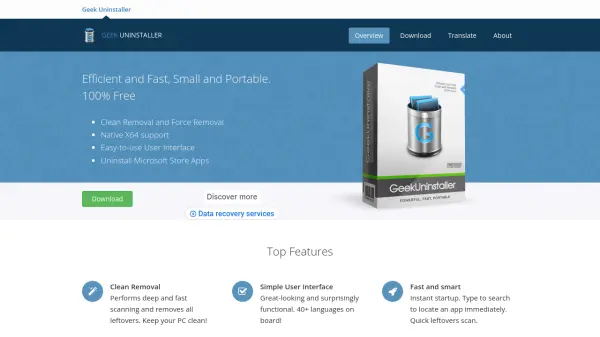
What is Geek Uninstaller?
Geek Uninstaller provides a streamlined solution for uninstalling software on Windows systems, ensuring complete removal without residual files. It scans deeply after standard uninstallations to eliminate leftovers, maintaining system cleanliness and performance.
The tool includes features like force removal for stubborn programs, support for Microsoft Store apps, and a portable executable that runs on both 32-bit and 64-bit Windows. Its interface is translated into over 40 languages and offers a dark mode for enhanced usability.
Features
- Clean Removal: Performs deep and fast scanning to remove all leftover files after uninstallation
- Force Removal: Handles stubborn and broken programs that resist standard removal
- Simple User Interface: Intuitive layout with support for over 40 languages and dark mode
- Uninstall Microsoft Store Apps: Removes apps from the Microsoft Store on Windows 8/8.1/10/11
- Portable: Single small EXE file runs on any 32-bit and 64-bit Windows without installation
- Fast and Smart: Instant startup with type-to-search functionality for quick app location
Use Cases
- Removing unwanted software from Windows PCs
- Cleaning up leftover files after program uninstallation
- Handling stubborn or broken programs that won't uninstall normally
- Uninstalling Microsoft Store apps on Windows systems
- Maintaining system performance by eliminating software remnants
- Using a portable tool for software management on multiple computers
FAQs
-
What operating systems does Geek Uninstaller support?
Geek Uninstaller runs on Windows systems, including 32-bit and 64-bit versions, and supports Windows 8, 8.1, 10, and 11. -
Is Geek Uninstaller completely free to use?
Yes, Geek Uninstaller is 100% free with no subscription fees or hidden costs. -
How does Geek Uninstaller handle leftover files?
It performs a deep scan after uninstallation to identify and remove all residual files, registry entries, and other leftovers. -
Can Geek Uninstaller remove Microsoft Store apps?
Yes, it includes functionality to uninstall apps from the Microsoft Store on supported Windows versions. -
Does Geek Uninstaller require installation?
No, it is a portable application that runs from a single EXE file without needing installation.