ReddRadar

What is FastCopy?
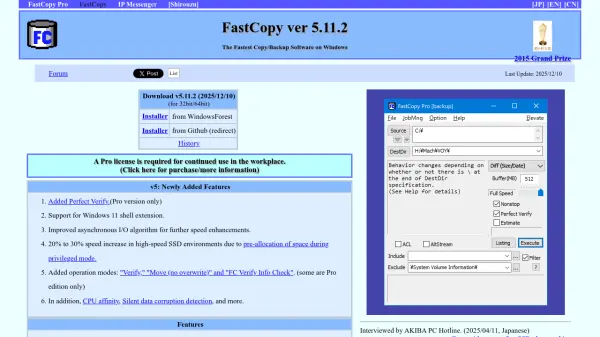
FastCopy is a specialized file management application designed for Windows operating systems that dramatically accelerates copy, move, and backup operations. The software employs sophisticated techniques including multi-threaded read/write/verify operations, overlapped I/O, and direct I/O to maximize data transfer speeds, particularly benefiting from high-speed SSD environments where it can achieve performance improvements of 20-30% through space pre-allocation in privileged mode.
The application supports reliable file operations through verification functionality that can record hash values for each file, ensuring data integrity during transfers. It features comprehensive file path support including UNICODE and paths exceeding the standard 260-character MAX_PATH limit, along with include/exclude filtering capabilities using UNIX-style wildcards for precise file selection during operations.
Features
- Multi-threaded Operations: Utilizes multiple threads for simultaneous read, write, and verify operations to maximize transfer speeds
- Advanced I/O Techniques: Implements overlapped I/O and direct I/O to optimize data flow and reduce bottlenecks
- Verification Functionality: Ensures data integrity through hash value recording and verification during copy operations
- Extended Path Support: Supports UNICODE and file paths exceeding the standard 260-character MAX_PATH limit
- File Filtering: Provides include/exclude filtering capabilities using UNIX-style wildcards for precise file selection
Use Cases
- High-speed file transfers between storage devices
- Reliable data backup operations with verification
- Bulk file management for large datasets
- Professional video editing workflows requiring fast file transfers
- IT infrastructure management and data migration
FAQs
-
What is the difference between the free and Pro versions of FastCopy?
The Pro version includes additional features such as Perfect Verify functionality, specific operation modes like Verify and FC Verify Info Check, and requires a license for continued workplace use, while the free version offers basic copy/backup functionality. -
How does FastCopy achieve faster speeds than Windows Explorer?
FastCopy utilizes multi-threaded operations for simultaneous read/write/verify, overlapped I/O, direct I/O, and space pre-allocation in privileged mode to optimize data transfer and overcome limitations of Windows Explorer's file management. -
What file systems and path lengths does FastCopy support?
FastCopy supports UNICODE encoding and file paths exceeding the standard 260-character MAX_PATH limit, making it suitable for complex directory structures and international file naming conventions.
Related Queries
Helpful for people in the following professions
FastCopy Uptime Monitor
Average Uptime
0%
Average Response Time
0 ms