ReddRadar

What is Domain Monitor?
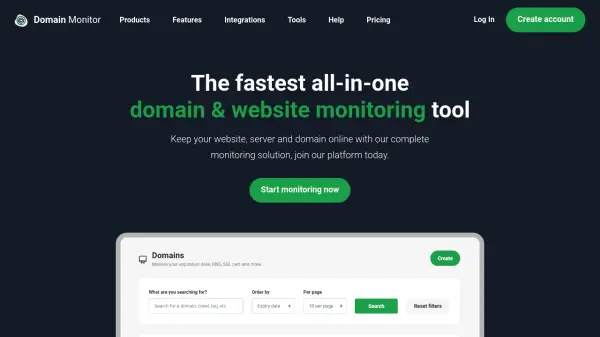
Domain Monitor offers a complete suite of monitoring tools designed to keep websites, servers, and domains online. It provides automated tracking of domain expiry dates, SSL certificate validity, and website uptime, sending instant notifications through multiple channels like email, SMS, Slack, and Discord to alert users before critical issues occur. The platform includes features such as WHOIS lookup, DNS monitoring, cron job monitoring, and keyword monitoring, all accessible through a user-friendly interface.
With plans ranging from a free tier to a Pro subscription, Domain Monitor caters to both individuals and businesses. The Pro plan offers enhanced capabilities like 5x faster monitoring checks, custom HTTP statuses, and SMS alerts. Additional tools like ping tests, traceroute tests, and IP address finders are available for free, making it a versatile solution for maintaining website health and stability without manual oversight.
Features
- Domain Expiry Monitoring: Get notified before your domain expires to avoid downtime
- Uptime Monitoring: Automate website uptime checks with instant downtime alerts
- SSL Certificate Monitoring: Track SSL certificate validity and receive expiration alerts
- WHOIS Lookup: Find domain registrar details without third-party tools
- Notifications: Receive alerts through email, SMS, Slack, Discord, and other channels
- DNS Monitoring: Automate checking of DNS and nameserver records with change alerts
- Cron Job Monitoring: Monitor background tasks and get alerts if they stop running
- Keyword Monitoring: Track product availability or specific keywords on websites
Use Cases
- Preventing domain expiration and associated website downtime
- Monitoring website uptime to ensure continuous availability for customers
- Tracking SSL certificate expiry to maintain website security
- Automating DNS record changes detection for domain management
- Monitoring cron jobs to ensure background tasks run on schedule
- Checking domain availability for acquisition purposes
- Using ping and traceroute tests to diagnose network issues
- Managing multiple client domains with centralized monitoring
FAQs
-
How do I check my domain expiry date with Domain Monitor?
Sign in to your account, go to the domain creation page to add a new domain, and our crawlers will retrieve the expiry date within 48 hours. -
What should I do if my domain's crawl status shows as error?
Remove the domain and add it again after about 6 weeks, as we may have trouble retrieving information initially. -
How can I contact support for help?
Check the help center for guides, or email us using the contact details on our contact page for direct assistance. -
How do I sign up to start monitoring my domains?
Create an account on our website to begin monitoring your domains immediately. -
What happens if I need help with my PRO subscription?
Refer to helpful articles in our help section, or contact us via our contact page for further assistance.