ReddRadar

What is DocRaptor?
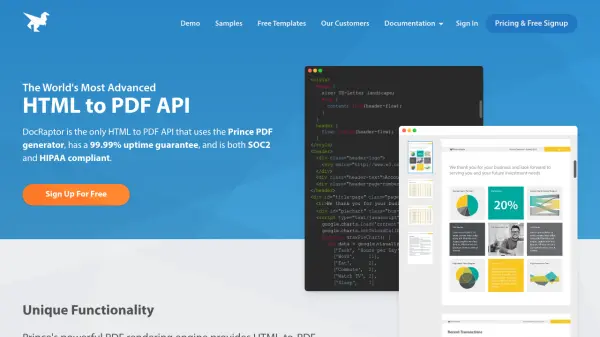
DocRaptor provides a REST API for converting HTML documents into high-quality PDF files using the Prince PDF rendering engine. The platform supports advanced PDF features including accessible PDFs with automatic tagging, PDF forms, integrated headers and footers, and PDF-specific JavaScript capabilities. Developers can utilize libraries in multiple programming languages and benefit from unlimited watermarked test documents without signup requirements.
The service offers instant scalability with no limits on document input or output size, along with document hosting at unbranded URLs. With encryption during transit and at rest, along with compliance standards including SOC2, HIPAA, and GDPR, DocRaptor ensures secure document processing for various industries and geographic locations.
Features
- Prince PDF Generator: Uses Prince's powerful rendering engine for advanced HTML-to-PDF conversion capabilities
- Accessible PDFs: Creates PDF files meeting WCAG 2.0, Section 508, and ISO-14289 accessibility standards with automatic tagging
- PDF Forms: Automatically converts raw HTML forms into accessible PDF forms for screen readers
- Integrated Headers & Footers: Allows definition of repeating or non-repeating headers and footers using simple CSS and HTML
- Document Hosting: Hosts PDFs at unbranded URLs for end-user access or integration with third-party tools
Use Cases
- Generating professional invoices and account statements from HTML templates
- Creating accessible PDF documents for compliance with accessibility standards
- Converting web applications with complex layouts into printable PDF reports
- Automating bulk PDF generation from database content for business documents
- Producing PDF forms from HTML forms for digital document workflows
FAQs
-
How do I convert HTML to PDF automatically?
Automatic conversion of HTML to PDF can be achieved via DocRaptor's API or through automation tools like Zapier or Kotive. For creating multiple or dynamic documents from databases, the API is recommended. -
How to convert HTML to PDF for free?
DocRaptor offers free HTML to PDF conversion with a public API key for creating watermarked test documents without account creation, along with a free plan for limited production use. -
Can't I convert HTML to PDF in Chrome?
While Chrome can print single web pages to PDF, DocRaptor's API allows developers to convert HTML documents in bulk, handling thousands of conversions instead of one at a time. -
What other file formats do you support?
DocRaptor converts HTML files into high-quality PDF documents or XLS/XLSX files, but does not support Zip files or other formats at this time.