ReddRadar

What is Cresstone?
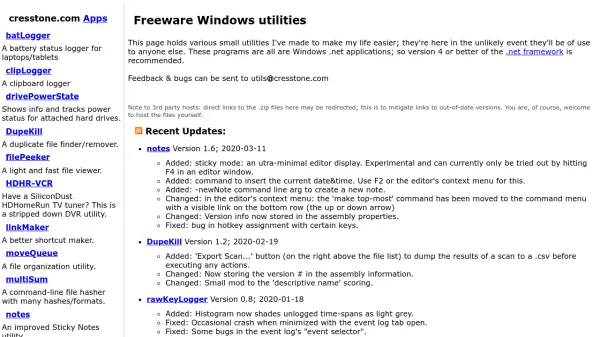
Cresstone provides a suite of freeware Windows utilities developed to streamline various tasks on Windows systems. These applications include tools for logging battery status and clipboard activity, monitoring hard drive power states, finding and removing duplicate files, viewing files quickly, and managing TV tuners with HDHomeRun devices. Additional utilities offer improved shortcut creation, file organization, command-line file hashing with multiple formats, enhanced sticky notes with text-to-speech, logging of keyboard and mouse events, cleanup of Explorer context menus, blocking Windows shutdown commands, creating or solving substitution ciphers, and downloading videos from online platforms.
All programs are built as Windows .NET applications, requiring version 4 or higher of the .NET framework for optimal performance. The tools are regularly updated with bug fixes and feature enhancements, as noted in the recent updates section, ensuring reliability and improved functionality over time.
Features
- Battery Logger: Logs battery status for laptops and tablets
- Clipboard Logger: Tracks clipboard activity
- Duplicate File Finder: Identifies and removes duplicate files
- File Viewer: Provides a light and fast way to view files
- TV Tuner DVR: Offers a stripped-down DVR utility for HDHomeRun tuners
- Shortcut Maker: Creates improved shortcuts
- File Organizer: Manages file organization tasks
- Command-Line Hasher: Supports multiple hash formats for file verification
- Sticky Notes: Enhanced notes utility with text-to-speech capabilities
- Event Logger: Logs and charts keyboard, mouse, and window events
Use Cases
- Monitoring laptop battery health over time
- Tracking clipboard history for productivity
- Cleaning up duplicate files to save storage space
- Quickly viewing files without opening full applications
- Recording TV shows with HDHomeRun tuners
- Creating efficient shortcuts for frequently used files
- Organizing files into structured folders
- Verifying file integrity with multiple hash algorithms
- Managing notes and reminders with text-to-speech alerts
- Analyzing user input patterns through event logging