ReddRadar
What is CPUCores?
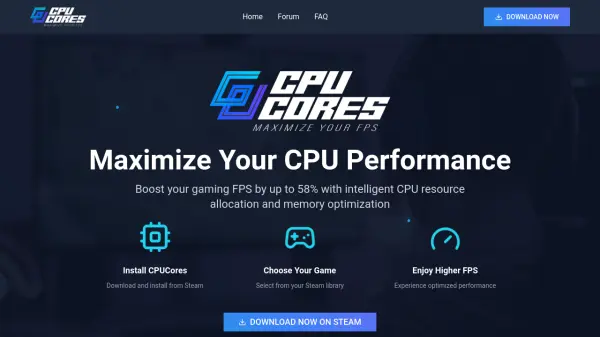
CPUCores is an AI-driven software designed to maximize CPU performance for gaming by intelligently allocating CPU resources and optimizing memory usage. It automatically detects and integrates with Steam games, allowing users to select their desired game and experience optimized performance with higher frame rates.
The software includes features such as a system analyzer for hardware overview, OS optimization by isolating the OS to the first core and constraining non-essential Windows services, and intelligent handling of hyper-threading to assign games to dedicated cores. This results in enhanced gaming performance, reduced stuttering, and faster resource loading.
Features
- CPU Resource Allocation: Allocates more CPU resources to specified games for higher FPS and enhanced performance
- Memory Optimization: Re-allocates memory from background applications and unloads unused services to free up space for games
- Steam Integration: Automatically detects all Steam games and integrates with Steam's launch functionality for easy game selection
- System Analyzer: Provides an overview of gaming PC hardware to help the tool make intelligent CPU and memory optimizations
- OS Optimization: Isolates the OS to the first core, constrains non-essential Windows services, and balances key processes for CPU savings
- Hyper-Threading Management: Intelligently detects and assigns games to dedicated cores instead of hyper-threaded cores for maximum CPU power
Use Cases
- Boosting FPS in PC games for smoother gameplay
- Reducing stuttering and lag in competitive gaming
- Optimizing performance on older or lower-spec hardware
- Enhancing gaming experience by freeing up system resources
- Automating CPU and memory management for gaming sessions
FAQs
-
How does CPUCores improve gaming performance?
CPUCores improves gaming performance by intelligently allocating CPU resources to games, optimizing memory usage by re-allocating from background applications, and applying OS optimizations such as isolating the OS and constraining non-essential services, resulting in higher FPS and smoother gameplay. -
Does CPUCores work with all Steam games?
Yes, CPUCores automatically detects all Steam games and integrates with Steam's launch functionality, allowing users to select any game from their Steam library for optimized performance. -
What is the role of the System Analyzer in CPUCores?
The System Analyzer provides an overview of the gaming PC's hardware, helping CPUCores understand the system to make appropriate changes for intelligent CPU and memory optimization tailored to the user's setup. -
How does CPUCores handle hyper-threading?
CPUCores intelligently detects hyper-threading and assigns games to dedicated cores instead of hyper-threaded cores, ensuring maximum CPU power is available for gaming, as hyper-threading can slow down most games. -
What kind of FPS gains can users expect with CPUCores?
Users can experience FPS gains of up to 58%, with examples from the community showing improvements such as Cyberpunk 2077 going from 45 FPS to 68 FPS, though results vary based on game, settings, and hardware.