ReddRadar

What is Cogno?
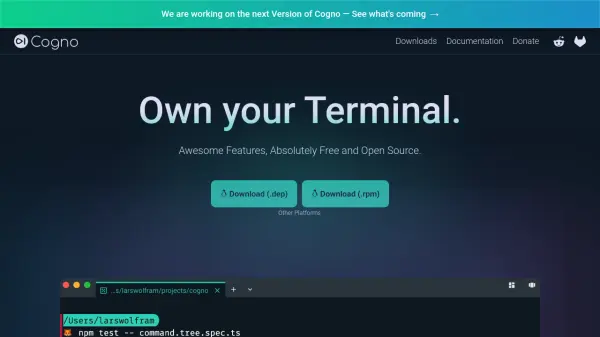
Cogno is a terminal emulator designed to enhance user productivity through intelligent features and complete customization. It operates as an open-source tool that prioritizes user privacy by not requiring logins or analytics unless explicitly enabled. The terminal learns from user inputs to provide context-aware suggestions, reducing the need for extensive typing and improving workflow efficiency.
With support for multiple operating systems and shells, Cogno ensures a consistent experience across different environments. It includes features such as tab management, nested panes, configurable shortcuts, and workspace saving to help users maintain organization. The tool also offers extensive theming options through a built-in editor or JSON file customization, allowing users to personalize their terminal appearance to suit their preferences.
Features
- Powerful Autocompleter: Learns from user inputs to suggest commands and folders based on usage patterns
- Tabs and Multiple Nested Panes: Allows management of several shell sessions simultaneously for better overview
- Configurable Shortcuts: Provides consistent shortcut configurations across different shells like Bash, Powershell, and Zsh
- Blazing Fast Navigation: Suggests frequently visited folders to enable quick directory switching
- Workspaces: Saves window layouts and open tabs for easy restoration based on specific situations
Use Cases
- Streamlining command-line workflows with AI-powered autocompletion
- Managing multiple shell sessions efficiently through tabs and panes
- Customizing terminal appearance and shortcuts for personalized use
- Restoring preferred terminal layouts quickly using workspaces
- Enhancing cross-platform consistency for developers working on different operating systems
FAQs
-
What operating systems does Cogno support?
Cogno supports Windows 10 and 11, macOS (both Apple Silicon and Intel), and Linux distributions like Ubuntu, Debian, Red Hat, Fedora, and SUSE. -
Does Cogno require a login or collect user data?
No, Cogno does not require a login and does not provide analytics unless the user chooses to enable them, prioritizing privacy and control. -
How does Cogno's autocompleter work?
The autocompleter learns from user inputs across different command-line tools, suggesting relevant commands and folders based on usage patterns to improve efficiency. -
Can I customize the appearance of Cogno?
Yes, Cogno offers effortless theming through a built-in theme editor with preview functionality, JSON file customization, and over 150 installable themes powered by terminal.sexy. -
What shells are compatible with Cogno?
Cogno is compatible with various shells including Bash, Powershell, and Zsh, ensuring consistent shortcut configurations across them.
Related Queries
Helpful for people in the following professions
Cogno Uptime Monitor
Average Uptime
0%
Average Response Time
0 ms