What is Closed Caption Creator?
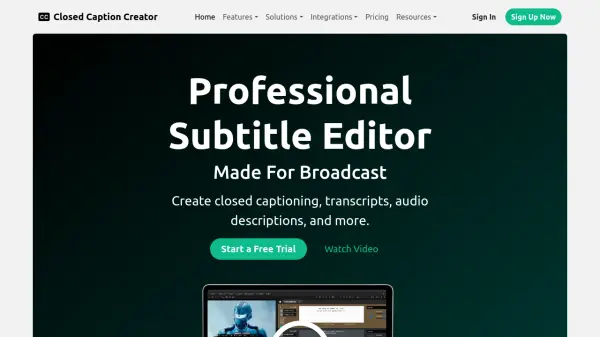
Closed Caption Creator is a professional subtitle editor designed specifically for broadcast and captioning teams. It provides comprehensive tools for creating closed captioning, subtitles, transcripts, and audio descriptions all within a single application. The platform leverages AI transcription services to generate accurate captions quickly, while offering extensive editing capabilities, custom keyboard shortcuts, and batch processing features to streamline workflow efficiency.
The tool includes robust quality control and review functions with real-time error detection, custom style guides, and team collaboration features. It supports over 30 different closed caption file formats and offers video export with burnt-in subtitles. With both desktop and web application options, Closed Caption Creator delivers broadcast-quality results while maintaining flexibility for various production environments.
Features
- Automatic Captioning & Sync: Generate accurate captions using AI transcription services like Deepgram, Speechmatics, and Assembly AI
- Custom Keyboard Shortcuts: Set up personalized shortcuts for manual transcription, spotting, and formatting tasks
- Batch Editing: Select multiple caption events simultaneously for bulk operations like inserting speaker IDs and aligning text
- QC & Review: Configure custom style guides and error detection settings to automatically identify and fix caption issues
- Export & Delivery: Support for over 30 closed caption file formats including SRT, VTT, TTML, and XML
- Video Export with Burnt-In Subtitles: Export video with customizable open captions using custom fonts, colors, and positioning
- Team Collaboration: Multiple team members can work on the same project simultaneously with sharing features
- Machine Translation: Automatically translate subtitles to over 70 different languages with dedicated translation UI
Use Cases
- Creating closed captioning for broadcast television content
- Generating subtitles for online video platforms and streaming services
- Producing transcripts and dialogue lists for film and video production
- Creating audio descriptions and descriptive video transcripts for accessibility
- Converting caption files between different formats for client delivery
- Quality checking and reviewing caption projects for accuracy and compliance
- Translating subtitles for international content localization
- Exporting video with burnt-in subtitles for social media distribution
FAQs
-
What are the system requirements for running Closed Caption Creator?
Closed Caption Creator offers both desktop and web applications compatible with Mac, Windows, Linux, and Google Chrome browser. -
How does the automatic transcription feature work?
The tool integrates with leading AI transcription services like Deepgram, Speechmatics, and Assembly AI to generate accurate captions automatically. -
Can I edit existing caption files with this tool?
Yes, Closed Caption Creator allows users to import and edit existing caption files and transcripts without using automatic transcription. -
What collaboration features are available for teams?
Teams can work simultaneously on projects, use custom tags and notes for communication, and implement approval workflows for quality control. -
How does the quality control system work?
Users can configure custom style guides and error detection settings that automatically identify issues like character length violations and formatting errors.
Related Queries
Helpful for people in the following professions
Closed Caption Creator Uptime Monitor
Average Uptime
0%
Average Response Time
0 ms