ReddRadar

What is Clippings.io?
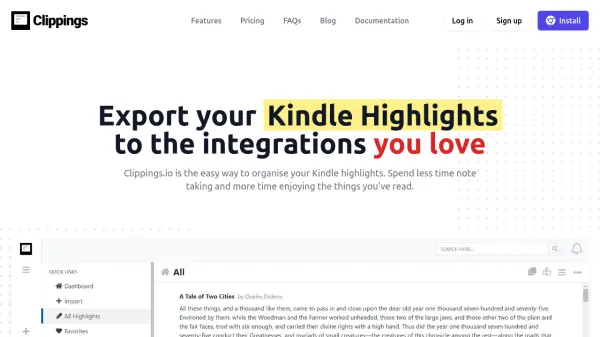
Clippings.io provides a streamlined solution for managing Kindle highlights by offering intelligent import and export capabilities. Users can import highlights from any Kindle device or app using a browser extension or by uploading a 'my clippings.txt' file, with automatic deduplication to avoid duplicates. The tool supports highlights from both Amazon books and personal documents, ensuring comprehensive coverage for all reading materials.
Once imported, highlights can be organized through editing, tagging, and collection features, turning Clippings.io into a digital commonplace book. The platform enables exports to popular integrations such as Evernote, Dropbox, and Google Drive, or downloads in formats like PDF, Word, and Excel. Advanced formatting options include citation styles (e.g., Chicago, MLA, APA) and the ability to include tags and notes, making it ideal for academic, professional, or personal use.
Features
- Intelligent Import: Automatically deduplicates highlights from multiple Kindle devices or browser extensions
- Export Options: Exports highlights to integrations like Evernote, Dropbox, and Google Drive, or downloads in PDF, Word, Excel, and text formats
- Advanced Formatting: Includes citation styles (Chicago, MLA, APA) and options to add tags and notes during export
- Organizational Tools: Edit highlights, tag them, and organize into collections with a searchable interface
- Browser Extension: Imports highlights directly from Amazon books and personal documents via a browser add-on
Use Cases
- Organizing and exporting Kindle highlights for academic research and citations
- Managing reading notes and highlights for authors and writers
- Creating searchable archives of book highlights for casual readers
- Integrating Kindle highlights into productivity tools like Evernote for better workflow
- Exporting highlights to cloud storage services for backup and accessibility
FAQs
-
How can I import my Kindle Highlights into Clippings.io?
Use the Clippings.io Browser Extension or upload your 'my clippings.txt' file on the Import page. -
Which Kindle versions do you support?
All Amazon Kindle versions and Kindle reader apps on devices like iPad, iPhone, and Android are supported via the browser extension or 'My Clippings.txt' file. -
How do I export my Kindle Highlights?
Go to the export page and choose the destination integration or file format to export your highlights. -
Can I import Kindle Highlights and Notes made on personal documents (non-Amazon documents)?
Yes, by using the browser extension or uploading the 'my clippings.txt' file as detailed in the blog post on saving Kindle highlights in personal documents.