ReddRadar


What is Carbon Copy Cloner 7?
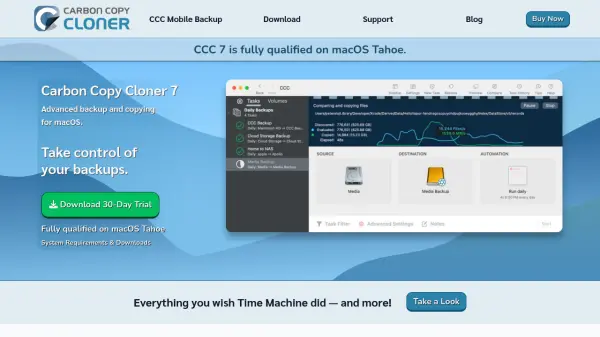
Carbon Copy Cloner 7 provides advanced backup and copying capabilities for macOS, allowing users to tailor backups to specific needs. It enables restoration of single files, folder copies, full system recovery, or data migration to new Macs, often performing faster and more reliably than the Finder. The tool offers total control over backup scheduling, including hourly, daily, weekly, monthly, or change-based triggers, with options to restrict runs by day, hour, or pause and resume functionality.
With features like Smart Copy for efficient file transfers, snapshot support for time-based file recovery, and local backups of cloud-only files from services like iCloud and Dropbox, it ensures data protection. Backups are stored in non-proprietary formats for easy access, with encryption options and active development to align with the latest macOS and APFS features. The tool includes monitoring and verification capabilities, top-notch support from real staff, and a household license for personal use on multiple Macs.
Features
- Smart Copy: Copies only added or modified files for efficient backups without unnecessary transfers
- Snapshots: Creates time-based backups to recover deleted or previous versions of files and folders
- Cloud-only File Backups: Temporarily downloads files from cloud services like iCloud and Dropbox for local backup
- Encryption & Privacy: Offers optional encryption and stores backups in non-proprietary formats for easy access and protection
- Scheduling Control: Allows backups to be scheduled hourly, daily, weekly, monthly, or based on detected changes with pause and resume options
Use Cases
- Restoring a single file or folder from a backup
- Migrating data to a new Mac or external storage
- Creating time-based snapshots to recover accidentally deleted files
- Making local backups of files stored only in cloud services
- Monitoring and verifying backup health and activity
FAQs
-
What is the household license for Carbon Copy Cloner 7?
The household license allows one purchase to run CCC on every Mac in a household for personal, non-commercial use. -
Does Carbon Copy Cloner 7 support encryption for backups?
Yes, it offers optional encryption to protect backup volumes, keeping them encrypted and unmounted for additional security. -
Can Carbon Copy Cloner 7 backup files from cloud services?
Yes, it can temporarily download cloud-only files from services like iCloud, Google Drive, and Dropbox to create local backups. -
How does the snapshot feature work in Carbon Copy Cloner 7?
Snapshots capture the state of every file at a specific moment, allowing users to go back in time to recover deleted files or previous versions. -
What types of scheduling options are available for backups?
Backups can be scheduled hourly, daily, weekly, monthly, or when changes are detected, with options to restrict by day, hour, or pause and resume.