ReddRadar
What is Black Highlighter?
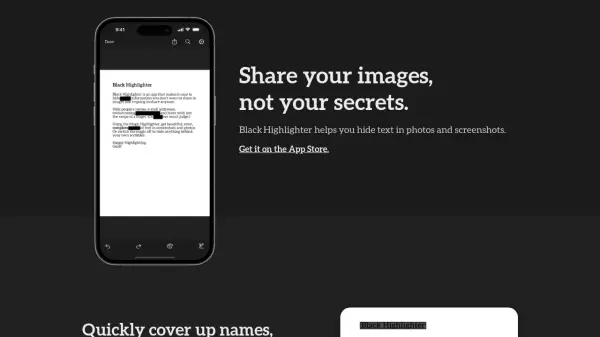
Black Highlighter streamlines privacy by allowing users to hide sensitive text in photos, screenshots, and scanned paper documents. Leveraging AI-powered recognition, it accurately detects and covers names, emails, addresses, and other private information, making redactions appear clean and professional while preventing text from being inferred by the underlying shapes.
Supporting customizable colors, the tool accommodates various redaction needs, including white for dark mode or distinct colors for different chat participants. Automated workflows with Shortcuts or Automator further enhance efficiency, and users can specify items to always redact, ensuring privacy is consistently maintained across personal and professional contexts.
Features
- AI Text Detection: Automatically identifies and redacts sensitive text in images.
- Magic Highlighter: Snaps to and fully covers visible text for clean redactions.
- Customizable Colors: Choose any color to match different modes or contexts.
- Printed Document Support: Imports and crops documents scanned with the phone camera.
- Predefined Redaction: Set items like names and contacts to be always redacted.
- Shortcut Integration: Build automated workflows for common redaction tasks.
Use Cases
- Redacting personal information from screenshots before sharing.
- Concealing confidential data in scanned business documents.
- Preparing group chat images for public distribution by hiding participant details.
- Automating privacy workflows for recurring redaction tasks.
- Securing sensitive details in images shared on social media or messaging apps.
FAQs
-
What platforms is Black Highlighter available on?
Black Highlighter is available for iOS and iPadOS, and is not currently available on macOS. -
Do I need a subscription to use Black Highlighter?
Black Highlighter requires a one-time in-app purchase to unlock its full capabilities. -
Can I use Black Highlighter on printed documents?
Yes, you can scan printed documents with your phone's camera, and the app will crop and import them for redaction. -
Is it possible to automate redactions with Black Highlighter?
Yes, you can use Shortcuts or Automator to build workflows that speed up common redactions.
Related Queries
Helpful for people in the following professions
Black Highlighter Uptime Monitor
Average Uptime
0%
Average Response Time
0 ms