ReddRadar

What is AutomataVerse?
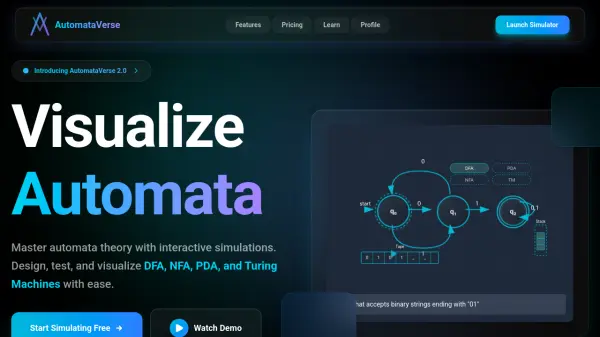
AutomataVerse is an educational platform designed to help students and educators master automata theory through interactive visualizations. The tool provides a comprehensive environment for designing, testing, and simulating various computational models including Deterministic Finite Automata (DFA), Non-Deterministic Automata (NFA), Pushdown Automata (PDA), and Turing Machines.
The platform offers step-by-step execution traces, visual state diagram editors, and validation features to enhance learning. With no installation required and full browser compatibility, AutomataVerse makes complex theoretical concepts accessible through hands-on experimentation and real-time feedback.
Features
- Visual State Diagram Editor: Intuitive interface for designing automata with drag-and-drop functionality
- Step-by-Step Execution Trace: Detailed visualization of computation processes for learning and debugging
- Multiple Automata Types: Support for DFA, NFA, PDA, Turing Machines, Mealy & Moore machines
- Browser-Based Platform: No installation required with full functionality in web browsers
- Educational Tools: Includes determinism validation, error detection, and epsilon closure computation
Use Cases
- Computer science students preparing for automata theory exams
- Educators creating interactive demonstrations for computational theory courses
- Self-learners exploring formal language and computation concepts
- Researchers prototyping and testing automata designs
- Study groups collaborating on automata theory assignments
FAQs
-
What types of automata can I simulate with AutomataVerse?
AutomataVerse supports Deterministic Finite Automata (DFA), Non-Deterministic Automata (NFA), Pushdown Automata (DPDA and NPDA), Turing Machines, and Mealy & Moore finite state machines. -
Do I need to install any software to use AutomataVerse?
No, AutomataVerse is completely browser-based and requires no installation. All simulations run directly in your web browser. -
What are the main differences between the Free and Pro plans?
The Free plan includes unlimited local machines, 1 group creation, 2 assignments per group, and up to 20 members per group. The Pro plan adds cloud storage, unlimited groups and assignments, up to 100 members per group, advanced analytics, and priority support. -
Can I share my automata designs with others?
Yes, AutomataVerse includes sharing capabilities for machines and supports group collaboration features for educational settings. -
Is AutomataVerse suitable for classroom use?
Yes, AutomataVerse is specifically designed for educational use with features like group assignments, collaborative tools, and visualizations that help explain complex theoretical concepts.