ReddRadar


What is Authenticator Plus?
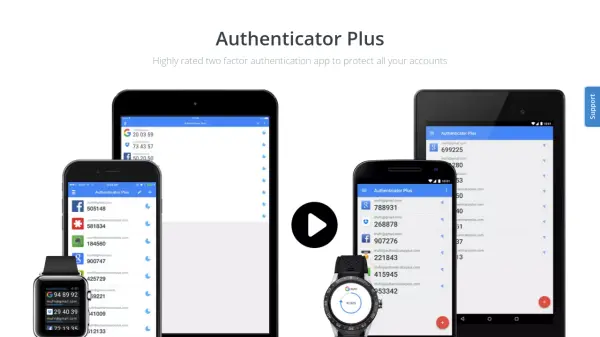
Authenticator Plus is a robust two-factor authentication (2FA) app designed to safeguard your online accounts with advanced security features. It offers 256-bit AES encryption and PIN lock protection, along with hardware-backed encryption that keeps your accounts secure even on rooted devices. The app supports seamless synchronization across Android phones, tablets, iPhones, iPads, Android Wear, and Apple Watch, ensuring your authentication codes are always accessible. With automatic cloud backup to Google Drive or Dropbox, you can easily restore your accounts if you lose or reset your device. Additional features include the ability to organize accounts into groups, reorder frequently used ones, change themes, and display account logos for quicker identification.
Features
- 256-bit AES Encryption: Provides strong encryption to protect authentication data.
- PIN Lock: Adds an extra layer of security beyond encryption.
- Hardware Backed Encryption: Protects accounts even on rooted devices.
- Cross-Device Sync: Synchronizes authentication codes across Android, iOS, Android Wear, and Apple Watch.
- Automatic Cloud Backup: Backs up accounts to Google Drive or Dropbox for easy restoration.
Use Cases
- Securing online accounts with two-factor authentication.
- Managing multiple 2FA codes across different devices.
- Backing up authentication codes to prevent lockout.
- Organizing accounts with categories and themes.
- Quickly accessing frequently used accounts on wearable devices.
FAQs
-
Does Authenticator Plus support backup and restore?
Yes, Authenticator Plus automatically backs up your accounts to Google Drive or Dropbox, allowing you to restore them easily if you lose or reset your device. -
Is Authenticator Plus available for both Android and iOS?
Yes, Authenticator Plus is available for Android phones, tablets, iPhones, iPads, Android Wear, and Apple Watch. -
How does the encryption work?
Authenticator Plus uses 256-bit AES encryption and a PIN lock for additional security. It also supports hardware-backed encryption to protect accounts even on rooted devices. -
Can I organize my accounts?
Yes, you can group accounts with categories, reorder frequently used accounts to the top, change themes, and display account logos for easier lookup. -
Is the app free?
Yes, Authenticator Plus is a free app.