ReddRadar

What is Argus Monitor?
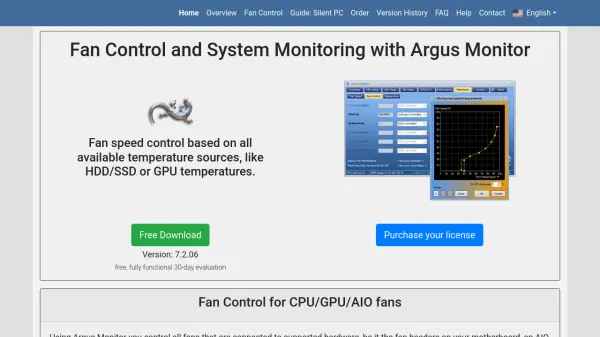
Argus Monitor offers powerful tools for managing fan speeds and monitoring critical hardware parameters on Windows computers. Users can control all fans connected to supported hardware, including CPU, GPU, AIO solutions, and external controllers, with the ability to set static speeds or configure dynamic control curves based on a range of temperature inputs such as CPUs, GPUs, hard drives, or SSDs.
The software extends its functionality to RGB device control, battery monitoring for notebooks, and easy-to-access system status via sidebar gadgets and tray icons. With features like multi-controller parallel operation, user-defined synthetic temperatures, and fan control profiles, Argus Monitor ensures users achieve both customized cooling performance and minimal noise. It also supports S.M.A.R.T. monitoring for disk health and allows for the integration of additional hardware sensors through its open hardware project.
Features
- Comprehensive Fan Control: Set fixed values or dynamic control curves based on CPU, GPU, HDD/SSD, or motherboard temperature readings.
- Multi-Controller Support: Run multiple fan controllers in parallel and use the highest value for optimal cooling.
- User Profiles and Presets: Switch between custom fan control profiles using the GUI or hotkeys for various use cases.
- Hysteresis and Averaging: Smooth out fan speed changes with options like hysteresis, time-averaging, and rate limits.
- RGB Device Control: Enable and configure RGB lighting effects for supported GPUs and cooling devices based on temperature.
- Sidebar Gadget and Tray Icons: Real-time hardware status selection for easy desktop or tray access.
- Battery Indicator: Optional display of battery charge for notebook computers.
- S.M.A.R.T. Monitoring: Monitor and receive alerts about the health status of hard drives and SSDs.
- Open Hardware Project: Add custom sensors and fan control channels through an open communication protocol.
Use Cases
- Optimize PC cooling and noise levels for gaming or workstation use.
- Implement silent or performance-based fan profiles for different usage scenarios.
- Monitor the health status of storage devices to prevent data loss.
- Control RGB lighting effects based on hardware temperatures.
- Track hardware status and temperatures directly from the desktop or system tray.
- Add and manage custom temperature sensors and fan channels via open hardware integration.
Related Queries
Helpful for people in the following professions
Argus Monitor Uptime Monitor
Average Uptime
0%
Average Response Time
0 ms