ReddRadar


What is AiInpainting?
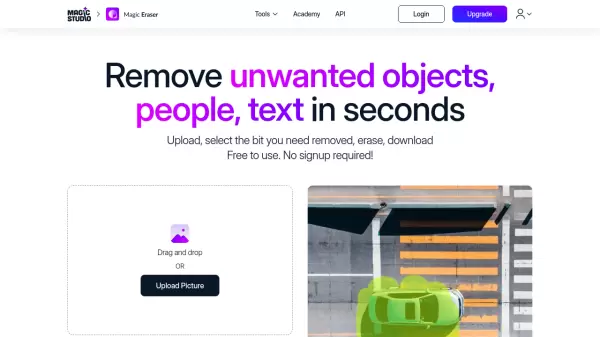
AiInpainting utilizes advanced artificial intelligence technology to transform images through precise inpainting capabilities. The platform enables users to remove unwanted objects, replace elements, and enhance details with natural-looking results that maintain the original image's authenticity.
The tool offers multiple editing modes including object removal, object replacement, and smart enhancement features like beard removal from photos. Users can upload images, draw masks over specific areas, and let the AI seamlessly fill or modify those sections while preserving context, lighting, and perspective for professional-quality outcomes.
Features
- Remove Unwanted Objects: AI automatically fills removed areas by analyzing surrounding context
- Replace Objects: Transforms elements while maintaining visual harmony through context understanding
- Smart Enhancement: Removes facial hair, fixes imperfections, and restores damaged areas with precision
- Multiple Editing Modes: Offers object removal, replacement, and enhancement capabilities
- Fast Processing: Generates results in seconds with standard or faster generation speeds depending on plan
Use Cases
- Removing distracting elements or people from photographs
- Eliminating unwanted objects from product images for e-commerce
- Removing facial hair or imperfections from portrait photos
- Replacing objects in images with alternative elements
- Restoring damaged or imperfect areas in photographs
- Enhancing specific details in images while maintaining authenticity
FAQs
-
What image formats are supported for upload?
The tool supports JPEG, PNG, WebP, TIFF, and BMP formats with recommendations for high-resolution images (at least 512x512 pixels). -
How long does image processing typically take?
Processing usually takes 10-30 seconds depending on image size and complexity, with more complex edits potentially taking up to 60 seconds. -
Can processed images be used for commercial purposes?
Yes, Premium and Ultimate plans include commercial usage rights for business, marketing, e-commerce, and other commercial applications. -
What are the maximum upload sizes for different plans?
Free users can upload up to 2MB files, Premium users up to 10MB, and Ultimate users up to 25MB, with all plans supporting up to 4K resolution. -
How is user data privacy and security handled?
The service uses enterprise-grade encryption, automatically deletes images from servers within 24 hours, and never stores or uses content for training purposes.