 ReddRadar
Agent skill
sleek-design-mobile-apps
Use when the user wants to design a mobile app, create screens, build UI, or interact with their Sleek projects. Covers high-level requests ("design an app that does X") and specific ones ("list my projects", "create a new project", "screenshot that screen").
Install this agent skill to your Project
npx add-skill https://github.com/autohandai/community-skills/tree/main/sleek-design-mobile-apps
Metadata
Additional technical details for this skill
- requires env
- SLEEK_API_KEY
- allowed hosts
- https://sleek.design
SKILL.md
Designing with Sleek
Overview
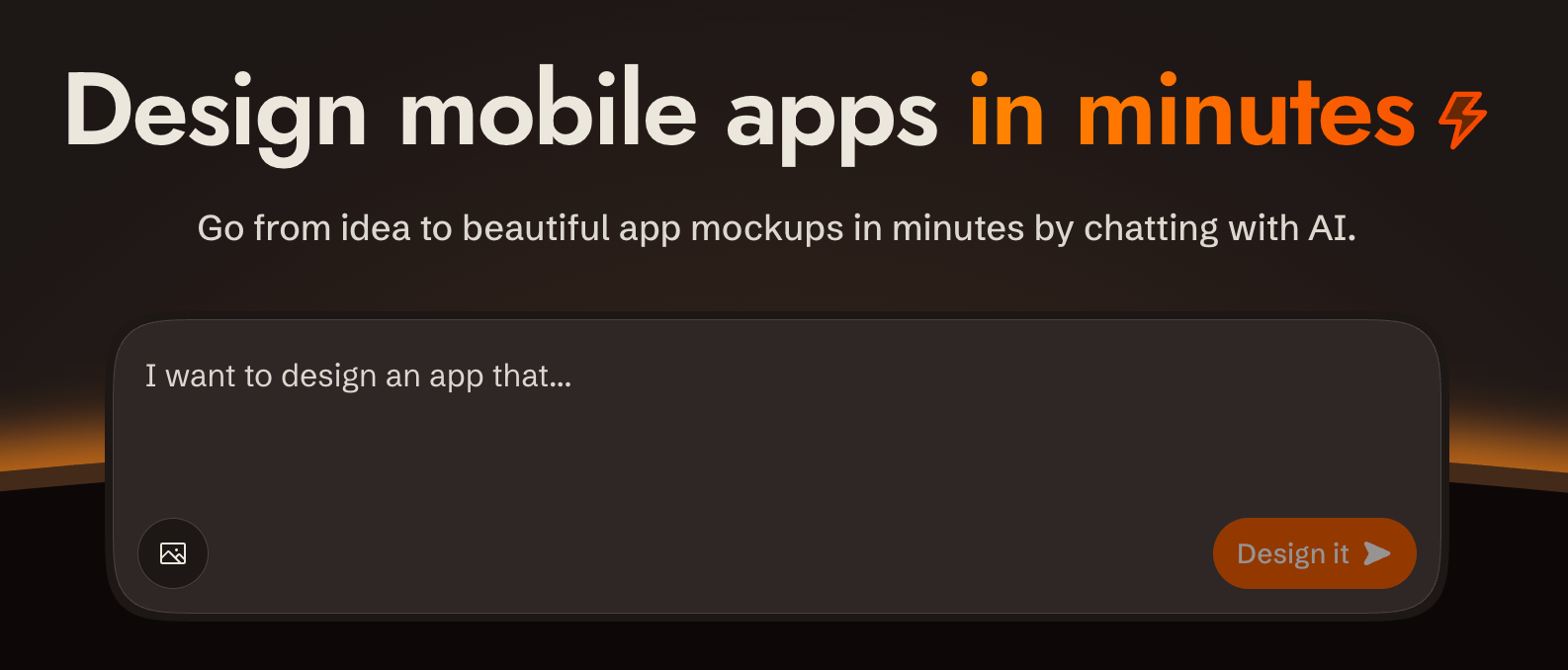
sleek.design is an AI-powered mobile app design tool. You interact with it via a REST API at /api/v1/* to create projects, describe what you want built in plain language, and get back rendered screens. All communication is standard HTTP with bearer token auth.
Base URL: https://sleek.design
Auth: Authorization: Bearer $SLEEK_API_KEY on every /api/v1/* request
Content-Type: application/json (requests and responses)
CORS: Enabled on all /api/v1/* endpoints
Prerequisites: API Key
Create API keys at https://sleek.design/dashboard/api-keys. The full key value is shown only once at creation — store it in the SLEEK_API_KEY environment variable.
Required plan: Pro+ (API access is gated)
Key scopes
| Scope | What it unlocks |
|---|---|
projects:read |
List / get projects |
projects:write |
Create / delete projects |
components:read |
List components in a project |
chats:read |
Get chat run status |
chats:write |
Send chat messages |
screenshots |
Render component screenshots |
Create a key with only the scopes needed for the task.
Security & Privacy
- Single host: All requests go exclusively to
https://sleek.design. No data is sent to third parties. - HTTPS only: All communication uses HTTPS. The API key is transmitted only in the
Authorizationheader to Sleek endpoints. - Minimal scopes: Create API keys with only the scopes required for the task. Prefer short-lived or revocable keys.
- Image URLs: When using
imageUrlsin chat messages, those URLs are fetched by Sleek's servers. Avoid passing URLs that contain sensitive content.
Handling high-level requests
When the user says something like "design a fitness tracking app" or "build me a settings screen":
- Create a project if one doesn't exist yet (ask the user for a name, or derive one from the request)
- Send a chat message describing what to build — you can use the user's words directly as
message.text; Sleek's AI interprets natural language - Follow the screenshot delivery rule below to show the result
You do not need to decompose the request into screens first. Send the full intent as a single message and let Sleek decide what screens to create.
Screenshot delivery rule
After every chat run that produces screen_created or screen_updated operations, always take screenshots and show them to the user. Never silently complete a chat run without delivering the visuals.
When screens are created for the first time on a project (i.e. the run includes screen_created operations), deliver:
- One screenshot per newly created screen (individual
componentIds: [screenId]) - One combined screenshot of all screens in the project (
componentIds: [all screen ids])
When only existing screens are updated, deliver one screenshot per affected screen.
Use background: "transparent" for all screenshots unless the user explicitly requests otherwise.
Quick Reference — All Endpoints
| Method | Path | Scope | Description |
|---|---|---|---|
GET |
/api/v1/projects |
projects:read |
List projects |
POST |
/api/v1/projects |
projects:write |
Create project |
GET |
/api/v1/projects/:id |
projects:read |
Get project |
DELETE |
/api/v1/projects/:id |
projects:write |
Delete project |
GET |
/api/v1/projects/:id/components |
components:read |
List components |
POST |
/api/v1/projects/:id/chat/messages |
chats:write |
Send chat message |
GET |
/api/v1/projects/:id/chat/runs/:runId |
chats:read |
Poll run status |
POST |
/api/v1/screenshots |
screenshots |
Render screenshot |
All IDs are stable string identifiers.
Endpoints
Projects
List projects
GET /api/v1/projects?limit=50&offset=0
Authorization: Bearer $SLEEK_API_KEY
Response 200:
{
  "data": [
    {
      "id": "proj_abc",
      "name": "My App",
      "slug": "my-app",
      "createdAt": "2026-01-01T00:00:00Z",
      "updatedAt": "..."
    }
  ],
  "pagination": { "total": 12, "limit": 50, "offset": 0 }
}
Create project
POST /api/v1/projects
Authorization: Bearer $SLEEK_API_KEY
Content-Type: application/json

{ "name": "My New App" }
Response 201 — same shape as a single project.
Get / Delete project
GET    /api/v1/projects/:projectId
DELETE /api/v1/projects/:projectId   → 204 No Content
Components
List components
GET /api/v1/projects/:projectId/components?limit=50&offset=0
Authorization: Bearer $SLEEK_API_KEY
Response 200:
{
  "data": [
    {
      "id": "cmp_xyz",
      "name": "Hero Section",
      "activeVersion": 3,
      "versions": [{ "id": "ver_001", "version": 1, "createdAt": "..." }],
      "createdAt": "...",
      "updatedAt": "..."
    }
  ],
  "pagination": { "total": 5, "limit": 50, "offset": 0 }
}
Chat — Send Message
This is the core action: describe what you want in message.text and the AI creates or modifies screens.
POST /api/v1/projects/:projectId/chat/messages?wait=false
Authorization: Bearer $SLEEK_API_KEY
Content-Type: application/json
idempotency-key: <optional, max 255 chars>

{
  "message": { "text": "Add a pricing section with three tiers" },
  "imageUrls": ["https://example.com/ref.png"],
  "target": { "screenId": "scr_abc" }
}
| Field | Required | Notes |
|---|---|---|
message.text |
Yes | 1+ chars, trimmed |
imageUrls |
No | HTTPS URLs only; included as visual context |
target.screenId |
No | Edit a specific screen; omit to let AI decide |
?wait=true/false |
No | Sync wait mode (default: false) |
idempotency-key header |
No | Replay-safe re-sends |
Response — async (default, wait=false)
Status 202 Accepted. result and error are absent until the run reaches a terminal state.
{
  "data": {
    "runId": "run_111",
    "status": "queued",
    "statusUrl": "/api/v1/projects/proj_abc/chat/runs/run_111"
  }
}
Response — sync (wait=true)
Blocks up to 300 seconds. Returns 200 when completed, 202 if timed out.
{
  "data": {
    "runId": "run_111",
    "status": "completed",
    "statusUrl": "...",
    "result": {
      "assistantText": "I added a pricing section with...",
      "operations": [
        { "type": "screen_created", "screenId": "scr_xyz", "screenName": "Pricing" },
        { "type": "screen_updated", "screenId": "scr_abc" },
        { "type": "theme_updated" }
      ]
    }
  }
}
Chat — Poll Run Status
Use this after async send to check progress.
GET /api/v1/projects/:projectId/chat/runs/:runId
Authorization: Bearer $SLEEK_API_KEY
Response — same shape as send message data object:
{
  "data": {
    "runId": "run_111",
    "status": "queued",
    "statusUrl": "..."
  }
}
When completed successfully, result is present:
{
  "data": {
    "runId": "run_111",
    "status": "completed",
    "statusUrl": "...",
    "result": {
      "assistantText": "...",
      "operations": [...]
    }
  }
}
When failed, error is present:
{
  "data": {
    "runId": "run_111",
    "status": "failed",
    "statusUrl": "...",
    "error": { "code": "execution_failed", "message": "..." }
  }
}
Run status lifecycle: queued → running → completed | failed
Screenshots
Takes a snapshot of one or more rendered components.
POST /api/v1/screenshots
Authorization: Bearer $SLEEK_API_KEY
Content-Type: application/json

{
  "componentIds": ["cmp_xyz", "cmp_abc"],
  "projectId": "proj_abc",
  "format": "png",
  "scale": 2,
  "gap": 40,
  "padding": 40,
  "background": "transparent"
}
| Field | Default | Notes |
|---|---|---|
format |
png |
png or webp |
scale |
2 |
1–3 (device pixel ratio) |
gap |
40 |
Pixels between components |
padding |
40 |
Uniform padding on all sides |
paddingX |
(optional) | Horizontal padding; overrides padding for left/right when provided |
paddingY |
(optional) | Vertical padding; overrides padding for top/bottom when provided |
paddingTop |
(optional) | Top padding; overrides paddingY when provided |
paddingRight |
(optional) | Right padding; overrides paddingX when provided |
paddingBottom |
(optional) | Bottom padding; overrides paddingY when provided |
paddingLeft |
(optional) | Left padding; overrides paddingX when provided |
background |
transparent |
Any CSS color (hex, named, transparent) |
showDots |
false |
Overlay a subtle dot grid on the background |
Padding resolves with a cascade: per-side → axis → uniform. For example, paddingTop falls back to paddingY, which falls back to padding. So { "padding": 20, "paddingX": 10, "paddingLeft": 5 } gives top/bottom 20px, right 10px, left 5px.
When showDots is true, a dot pattern is drawn over the background color. The dots automatically adapt to the background: dark backgrounds get light dots, light backgrounds get dark dots. This has no effect when background is "transparent".
Always use "background": "transparent" unless the user explicitly requests a specific background color.
Response: raw binary image/png or image/webp with Content-Disposition: attachment.
Error Shapes
{ "code": "UNAUTHORIZED", "message": "..." }
| HTTP | Code | When |
|---|---|---|
| 401 | UNAUTHORIZED |
Missing/invalid/expired API key |
| 403 | FORBIDDEN |
Valid key, wrong scope or plan |
| 404 | NOT_FOUND |
Resource doesn't exist |
| 400 | BAD_REQUEST |
Validation failure |
| 409 | CONFLICT |
Another run is active for this project |
| 500 | INTERNAL_SERVER_ERROR |
Server error |
Chat run-level errors (inside data.error):
| Code | Meaning |
|---|---|
out_of_credits |
Organization has no credits left |
execution_failed |
AI execution error |
Flows
Flow 1: Create project and generate a UI (async + polling)
1. POST /api/v1/projects                              → get projectId
2. POST /api/v1/projects/:id/chat/messages            → get runId (202)
3. Poll GET /api/v1/projects/:id/chat/runs/:runId
   until status == "completed" or "failed"
4. Collect screenIds from result.operations
   (screen_created and screen_updated entries)
5. Screenshot each affected screen individually
6. If any screen_created: also screenshot all project screens combined
7. Show all screenshots to the user
Polling recommendation: start at 2s interval, back off to 5s after 10s, give up after 5 minutes.
Flow 2: Sync mode (simple, blocking)
Best for short tasks or when latency is acceptable.
1. POST /api/v1/projects/:id/chat/messages?wait=true
   → blocks up to 300s
   → 200 if completed, 202 if timed out
2. If 202, fall back to Flow 1 polling with the returned runId
3. On completion, screenshot and show affected screens (see screenshot delivery rule)
Flow 3: Edit a specific screen
1. GET /api/v1/projects/:id/components         → find screenId
2. POST /api/v1/projects/:id/chat/messages
   body: { message: { text: "..." }, target: { screenId: "scr_xyz" } }
3. Poll or wait as above
4. Screenshot the updated screen and show it to the user
Flow 4: Idempotent message (safe retries)
Add idempotency-key header on the send request. If the network drops and you retry with the same key, the server returns the existing run rather than creating a duplicate. The key must be ≤255 chars.
POST /api/v1/projects/:id/chat/messages
idempotency-key: my-unique-request-id-abc123
Flow 5: One run at a time (conflict handling)
Only one active run is allowed per project. If you send a message while one is running, you get 409 CONFLICT. Wait for the active run to complete before sending the next message.
409 response → poll existing run → completed → send next message
Pagination
All list endpoints accept limit (1–100, default 50) and offset (≥0). The response always includes pagination.total so you can page through all results.
GET /api/v1/projects?limit=10&offset=20
Common Mistakes
| Mistake | Fix |
|---|---|
Sending to /api/v1 without Authorization header |
Add Authorization: Bearer $SLEEK_API_KEY to every request |
| Using wrong scope | Check key's scopes match the endpoint (e.g. chats:write for sending messages) |
| Sending next message before run completes | Poll until completed/failed before next send |
Using wait=true on long generations |
It blocks 300s max; have a fallback to polling for 202 response |
HTTP URLs in imageUrls |
Only HTTPS URLs are accepted |
Assuming result is present on 202 |
result is absent until status is completed |
Recommended Agent Skills
Expand your agent's capabilities with these related and highly-rated skills.
 autohandai/community-skills
mapping-mitre-attack-techniques
Maps observed adversary behaviors, security alerts, and detection rules to MITRE ATT&CK techniques and sub-techniques to quantify detection coverage and guide control prioritization. Use when building an ATT&CK-based coverage heatmap, tagging SIEM alerts with technique IDs, aligning security controls to adversary playbooks, or reporting threat exposure to executives. Activates for requests involving ATT&CK Navigator, Sigma rules, MITRE D3FEND, or coverage gap analysis.
autohandai/community-skills
hunting-for-spearphishing-indicators
Hunt for spearphishing campaign indicators across email logs, endpoint telemetry, and network data to detect targeted email attacks.
autohandai/community-skills
analyzing-malicious-url-with-urlscan
URLScan.io is a free service for scanning and analyzing suspicious URLs. It captures screenshots, DOM content, HTTP transactions, JavaScript behavior, and network connections of web pages in an isolat
autohandai/community-skills
implementing-zero-standing-privilege-with-cyberark
Deploy CyberArk Secure Cloud Access to eliminate standing privileges in hybrid and multi-cloud environments using just-in-time access with time, entitlement, and approval controls.
autohandai/community-skills
implementing-pam-for-database-access
Deploy privileged access management for database systems including Oracle, SQL Server, PostgreSQL, and MySQL. Covers session proxy configuration, credential vaulting, query auditing, dynamic credentia
autohandai/community-skills
detecting-t1003-credential-dumping-with-edr
Detect OS credential dumping techniques targeting LSASS memory, SAM database, NTDS.dit, and cached credentials using EDR telemetry, Sysmon process access monitoring, and Windows security event correlation.
Didn't find tool you were looking for?